How big is a tote bag? A medium tote, the size most people mean, is about 15 to 16 inches wide and 15 to 18 inches tall, which is 38 to 41 centimetres wide and 38 to 46 centimetres tall. A small tote is about 12 inches (30 centimetres) wide, and a large tote is 17 to 20 inches (43 to 51 centimetres) wide.
If you want to carry a laptop, one of those numbers matters more than the others: the width of the bag. Below are the three sizes, the real closed sizes of four MacBooks from Apple’s own specifications, and which laptop goes into which tote.
Tote bag sizes in centimetres and inches
There is no official tote bag size. No standards body defines small, medium or large, so each maker picks its own numbers. The ranges below span three published size guides, listed under the table.
| Size | Width | Height | What it holds |
|---|---|---|---|
| Small | about 12 in (30 cm) or less | up to 14 in (36 cm) | Wallet, phone, keys, a paperback, a small water bottle |
| Medium (standard) | 15 to 16 in (38 to 41 cm) | 15 to 18 in (38 to 46 cm) | All of the above, plus a lunch box, a sweater and a 13 to 16 inch laptop |
| Large | 17 to 20 in (43 to 51 cm) | 13 to 22 in (34 to 56 cm) | Groceries, gym clothes and shoes, a beach towel, any laptop up to 16 inches with room for a sleeve |
Sources: QualityImprint (updated April 2026) gives about 12 by 14 inches for small, 16 by 18 for medium and 20 by 22 or bigger for large. ToteBagFactory (December 2025) puts its medium at 15 by 15 or 15 by 16 inches. The UK supplier carrierbags.co.uk sells a standard tote at 38 by 42 centimetres and a large gusseted tote at 43 by 34 centimetres, wider than it is tall.
That last example shows why the labels are loose: one maker’s “large” can be shorter than another maker’s “medium”. Read the measurements on the listing, never the size name.
Depth is the third number, and many listings leave it out. A flat tote has no depth at all until you fill it. A tote with a gusset, the extra panel along the bottom and sides, stands open and holds far more. If the depth is not listed, ask the shop.
What is the standard tote bag size?
The standard tote bag size is about 15 by 16 inches, or 38 by 41 centimetres, which is the medium in the table above. ToteBagFactory calls 15 by 15 and 15 by 16 inches its medium, and carrierbags.co.uk sells 38 by 42 centimetres as its standard. A plain canvas tote from a shop or an event is usually close to this size. A tote taken on a plane follows the same under-seat rule as a backpack, so see whether a backpack is a personal item for airline limits.
If you are asking about the average tote bag size, the answer is the same medium. Small and large totes exist, but the 15 to 16 inch tote is the one two of the three guides above call the medium or standard.
How big is a 16 inch laptop?
A 16 inch MacBook Pro is 14.01 inches wide and 9.77 inches deep when closed, which is 35.57 by 24.81 centimetres, according to Apple’s MacBook Pro specifications (2026). The 16 inches in the name is the screen, measured corner to corner, and the body around it is what has to go into your bag.
HP’s screen size guide describes the same rule for every laptop: screen size is measured diagonally across the visible screen, without the frame. So a laptop called “16 inch” is never 16 inches wide, and two 16 inch laptops from different makers can differ in width by a centimetre or more.
Here are the closed sizes of four MacBooks, from Apple’s MacBook Air and MacBook Pro specification pages (2026). Width is the long edge, the hinge side. Depth is the short edge, front to back.
| Laptop | Width | Depth | Thickness |
|---|---|---|---|
| 13 inch MacBook Air | 30.41 cm (11.97 in) | 21.5 cm (8.46 in) | 1.13 cm (0.44 in) |
| 14 inch MacBook Pro | 31.26 cm (12.31 in) | 22.12 cm (8.71 in) | 1.55 cm (0.61 in) |
| 15 inch MacBook Air | 34.04 cm (13.40 in) | 23.76 cm (9.35 in) | 1.15 cm (0.45 in) |
| 16 inch MacBook Pro | 35.57 cm (14.01 in) | 24.81 cm (9.77 in) | 1.68 cm (0.66 in) |
The lineup below shows six laptops at the same scale, smallest to largest, from a 13 inch Windows laptop to an 18 inch gaming laptop. Scroll sideways to see them all.
-
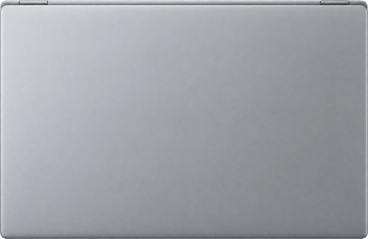 Dell XPS 13 9350 OLED 13 inch, 29.5 cm wide
-
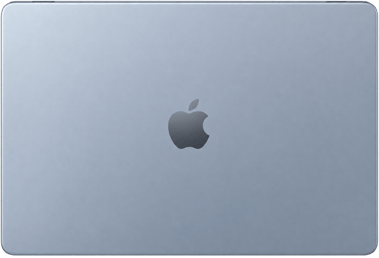 Apple MacBook Air 13-inch 13 inch, 30.4 cm wide
-
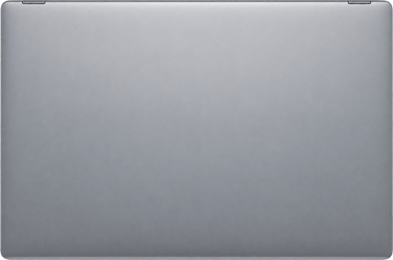 Dell XPS 14 9440 OLED 14 inch, 32 cm wide
-
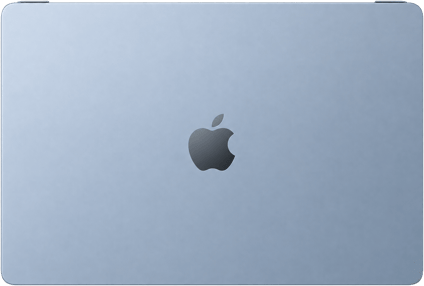 Apple MacBook Air 15-inch 15 inch, 34 cm wide
-
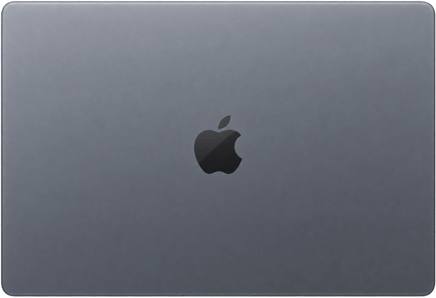 Apple MacBook Pro 16-inch 16 inch, 35.6 cm wide
-
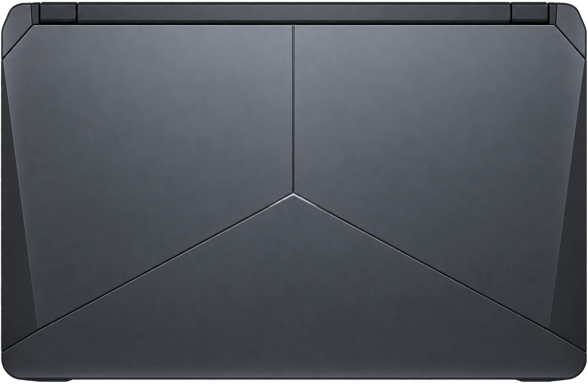 Alienware 18 Area-51 AA18250 18 inch, 41 cm wide
Across this lineup, each inch of screen size adds roughly 2 centimetres of width. An 18 inch gaming laptop is 5.4 centimetres wider than a 16 inch MacBook Pro, and that alone moves it out of every medium tote.
Which laptop fits which tote bag
A laptop fits a tote bag when the laptop’s width is smaller than the inside width of the bag, with a little room to spare. Seams fold fabric inward, so the inside is always a bit narrower than the width on the listing. Here is each MacBook against each size, using the widths above.
| Laptop (width) | Small tote, 30 cm (12 in) | Medium tote, 38 cm (15 in) | Medium tote, 41 cm (16 in) | Large tote, 43 cm (17 in) |
|---|---|---|---|---|
| 13 inch MacBook Air (30.4 cm) | No, only upright | Yes, 7.6 cm spare | Yes, 10.6 cm spare | Yes, 12.6 cm spare |
| 14 inch MacBook Pro (31.3 cm) | No, only upright | Yes, 6.7 cm spare | Yes, 9.7 cm spare | Yes, 11.7 cm spare |
| 15 inch MacBook Air (34.0 cm) | No | Yes, 4 cm spare | Yes, 7 cm spare | Yes, 9 cm spare |
| 16 inch MacBook Pro (35.6 cm) | No | Tight, 2.4 cm spare | Yes, 5.4 cm spare | Yes, 7.4 cm spare |
Small tote. A 12 inch tote is 30.5 centimetres wide on the outside, and a 13 inch MacBook Air is 30.41. That leaves a millimetre before the seams, so the laptop does not go in lying sideways. It can go in standing upright, long edge down, if the bag is taller than it is wide: a 13 inch MacBook Air is 30.4 centimetres long and a 14 inch small tote is about 36 centimetres tall. The laptop then sits about 5 centimetres below the opening.
Medium tote. Every MacBook fits a 38 centimetre medium tote. The 16 inch MacBook Pro is the tight one: 38 minus 35.6 leaves 2.4 centimetres, about 1.2 on each side, before the seams take their share. If you carry a 16 inch laptop, look for a medium tote at 40 centimetres (16 inches) or wider.
Large tote. Every MacBook fits a large tote, even inside a padded sleeve. An 18 inch laptop, about 41 centimetres wide, leaves only 2 centimetres in a 43 centimetre tote, so for an 18 inch laptop look for a tote 45 centimetres (18 inches) wide or more.
Padded sleeve. A sleeve adds width on both sides of the laptop. Measure the sleeve itself, outside edge to outside edge, and compare that number with the bag, not the laptop’s width. For other bag types, see handbags that can fit a laptop.
How to check if your laptop fits a tote bag
- Find your laptop’s width. Look up the closed width on the maker’s specification page, or measure the hinge edge with a tape measure.
- Add your sleeve. If you carry the laptop in a sleeve, measure the sleeve’s outside width and use that number.
- Find the bag’s width across the top. If the listing gives only one width, ask the shop if it is measured at the top, the base or the widest point. Many totes are narrower at the base than at the top.
- Leave about an inch. As a rule of thumb, if the bag is at least 2.5 centimetres (1 inch) wider than your laptop, it goes in lying sideways. If not, check if the bag’s height is at least 2.5 centimetres more than your laptop’s width. Then the laptop fits standing upright.
Why litres do not tell you if a laptop fits
Litres measure how much a bag holds, and a laptop needs a certain width. A maker can add litres by making a bag deeper, taller or rounder, and none of those makes it wider. A round bucket bag can hold more litres than a flat tote and still take no laptop at all.
The arithmetic shows how much depth alone changes the number. A tote 38 centimetres wide, 42 tall and 8 deep has a box volume of 38 × 42 × 8 = 12,768 cubic centimetres, about 12.8 litres. Make the same tote 15 centimetres deep and it becomes 23,940 cubic centimetres, about 23.9 litres. The bag nearly doubles in litres, and the laptop that fits it stays exactly the same.
Litres are useful for groceries and gym kit, which squash into any shape. A laptop is flat and stiff. When a listing gives only litres, ask the shop for the inside width and height.
See a tote bag next to a MacBook
The size comparison below is live on this page. It shows a canvas tote bag 40 centimetres wide and 45.7 centimetres tall, about 15.7 by 18 inches, which is a medium tote by the table above. Next to it is a 13 inch MacBook Air at the same scale.
The MacBook Air is 30.4 centimetres wide, so a 40 centimetre tote leaves almost 10 centimetres to spare across the top. Even a 16 inch MacBook Pro, at 35.6 centimetres, would fit this bag with 4.4 centimetres of room.
For shops that sell tote bags
Shops that sell bags get the same question every week: will my laptop fit? It comes often enough that bag shops ask for a way to show a MacBook next to their bags on the product page, so shoppers can see the answer without writing in.
Tangiblee, a size visualisation company that works with large bag and luggage brands, put the cause plainly in 2022. Product photos and listed dimensions, Tangiblee wrote, “do not provide customers with an accurate understanding of what will fit inside”. A shopper does not know what 38 centimetres looks like, but every shopper knows their own laptop.
Show the bag next to a laptop on the product page itself, next to the photos. Name the laptop and its size in the caption, so the shopper can match it to their own. Our guide to how to reduce returns in ecommerce shows why numbers alone fail.
EasySizes adds the size comparison above to a product page, with laptops, phones and people to compare against.
Tote bag size questions
Does a medium tote bag fit a laptop?
Yes. A medium tote, 15 to 16 inches (38 to 41 centimetres) wide, fits every 13, 14 and 15 inch MacBook with room to spare. A 16 inch MacBook Pro is 35.6 centimetres wide, so it fits a 38 centimetre medium tote with only 2.4 centimetres spare. For a 16 inch laptop in a sleeve, choose a tote 16 inches wide or more.
Can a small tote bag fit a laptop?
Usually not lying sideways. A small tote is about 12 inches (30 centimetres) wide, and even a 13 inch MacBook Air is 30.4 centimetres wide. A 13 or 14 inch laptop can fit standing upright if the bag is about 14 inches (36 centimetres) tall, but anything larger needs a medium tote.
How big is a large tote bag?
A large tote bag is usually 17 to 20 inches wide, which is 43 to 51 centimetres. Heights vary more, from about 13 to 22 inches (34 to 56 centimetres), because some large totes are wide and shallow and others are tall. A large tote fits every laptop up to 16 inches, even in a sleeve. An 18 inch laptop needs a tote about 45 centimetres (18 inches) wide.
What size tote bag fits a 16 inch laptop?
A 16 inch laptop fits a tote 38 centimetres (15 inches) wide only just, with about 2.4 centimetres to spare. Choose 40 centimetres (16 inches) or wider for comfort, and more if you use a padded sleeve. The 16 inch MacBook Pro is 35.57 by 24.81 centimetres closed, according to Apple. Check that the bag’s width is measured across the top.
What are standard tote bag dimensions?
Standard tote bag dimensions are about 15 by 16 inches, or 38 by 41 centimetres. A flat tote has no depth, and a tote with a gusset adds a few inches of depth along the bottom. There is no official standard, so always check the measurements on the listing.